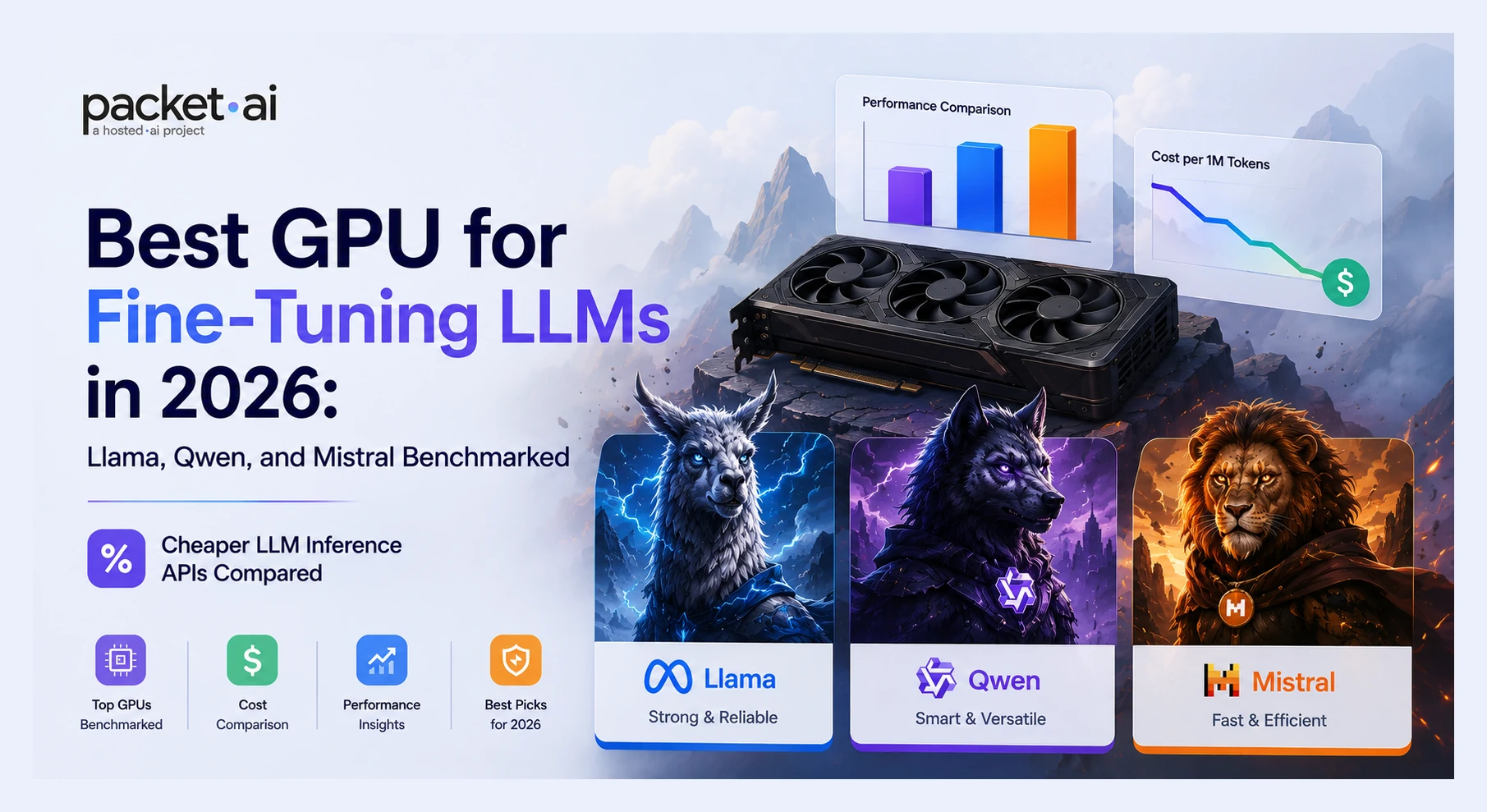
Best GPU for Fine-Tuning LLMs in 2026: Llama, Qwen, and Mistral Benchmarked
The GPU that finishes a 70B QLoRA run cheapest is not the A100. It is the RTX 6000 Pro at $0.66/hr with 96GB VRAM. Here is the full GPU-by-model breakdown for Llama, Qwen, and Mistral.
packet.ai Team
August 25, 2026
The right GPU for fine-tuning a 7B Llama 3 or Qwen 3 model is an RTX 4090 at $0.48/hr - not an H100. The right GPU for fine-tuning a 70B model cheapest is an RTX 6000 Pro at $0.66/hr with 96GB VRAM, not an A100. GPU choice for LLM fine-tuning is driven entirely by VRAM fit and model size, not by headline benchmark scores.
Key takeaways
7B QLoRA (Llama 3.1 8B, Qwen 3 8B, Mistral 7B) needs ~12GB VRAM. A single RTX 4090 (24GB) handles it at $0.48/hr - no A100 required.
Qwen 3 30B-A3B MoE runs at only 17.5GB QLoRA despite its 30B parameter count. Fits on a 24GB RTX 4090 - one of the most VRAM-efficient 30B-class models in 2026.
70B QLoRA needs ~41-46GB VRAM. Three options: RTX 6000 Pro (96GB, $0.66/hr, slowest), A100 80GB ($1.43/hr, mid), H100 SXM ($2.50/hr, fastest and cheapest total cost).
RTX 6000 Pro at $0.66/hr has more VRAM than an A100 80GB and costs less per hour. The correct choice for teams where wall-clock time is not the constraint.
70B LoRA (full precision) needs ~140GB VRAM - requires two H100s or two A100s. QLoRA cuts that to ~41-46GB on a single card. Use QLoRA unless you have specific evidence the quality gap matters.
Unsloth reports up to 70% less VRAM and up to 2x faster training versus standard QLoRA implementations - independently measured by Spheron at 3.2hr vs 5.8hr for Llama 8B on A100. Use it for every single-GPU job on Llama, Qwen, or Mistral.
GPU choice for LLM fine-tuning is not the same decision as GPU choice for inference. Inference needs throughput and memory bandwidth. Fine-tuning needs VRAM capacity first - the model weights, gradients, optimizer states, and activations all have to fit simultaneously. The wrong GPU for your model size means an OOM error before training starts. The right GPU means a completed run. This guide maps each model family and size to the correct GPU, with VRAM math verified against 2026 sources from Unsloth, Spheron, llmhardware.io, and VRLA Tech.
This is a GPU selection guide, not a cost-per-run breakdown. For the full fine-tuning cost math including training time estimates and provider comparison, see the A100 vs H100 fine-tuning cost guide.
Why VRAM Is the Only Number That Matters for Fine-Tuning GPU Selection
Fine-tuning stores four things in VRAM simultaneously: model weights, gradients, optimizer states, and activations. Each has a different size depending on the training method.
Full fine-tuning stores all four at full precision. A 7B model at FP16 needs ~14GB for weights alone, then roughly 3-4x that for gradients and optimizer states - typically 80-120GB total. That eliminates every consumer GPU and most single-card datacenter options for 7B.
LoRA freezes the base model and trains only adapter matrices - less than 1% of parameters. The frozen base still loads at FP16 (~14GB for 7B), but gradients and optimizer states shrink to adapter size only. Total: ~28GB for 7B LoRA. Fits on an A100 80GB with headroom.
QLoRA quantizes the frozen base to 4-bit (reducing weight memory by ~75%), then trains LoRA adapters in BF16 on top. A 7B base model that needs 14GB at FP16 drops to ~3.5GB at 4-bit. Add adapters, gradients, and activations: total ~12GB. Fits on a 24GB RTX 4090.
Best GPU for Fine-Tuning Llama 3: 8B, 13B, and 70B
Llama 3.1 and 3.3 are the most widely fine-tuned open model family in 2026. All variants support QLoRA with Unsloth and Axolotl. VRAM requirements scale with parameter count regardless of the Llama version.
Model
QLoRA VRAM
LoRA VRAM
Min GPU (QLoRA)
Best GPU (QLoRA)
Llama 3.1 8B
~12 GB
~28 GB
RTX 4090 (24GB)
RTX 4090 - fits with 12GB headroom
Llama 3.1 13B
~20 GB
~44 GB
RTX 4090 (tight at 24GB)
L40S 48GB or A100 80GB for comfort
Llama 3.3 70B
~41-46 GB
~140 GB
L40S 48GB (tight), A100 80GB or RTX 6000 Pro (comfortable)
H100 SXM if speed matters, RTX 6000 Pro if cost matters
Llama 3.1 8B QLoRA at ~12GB fits on a 24GB RTX 4090 with 12GB to spare - enough for longer sequences and larger batch sizes. Llama 3.1 13B at ~20GB is technically within RTX 4090 range but tight: enable gradient checkpointing and keep sequence length at 512 or below. For 13B with longer context or larger batches, move to an L40S (48GB) at $0.92/hr on packet.ai. Llama 3.3 70B QLoRA at ~41-46GB fits on an L40S 48GB (tight, seq_len 256 or below) or comfortably on an A100 80GB or RTX 6000 Pro 96GB.
Best GPU for Fine-Tuning Qwen 3: 8B, 14B, 30B MoE, and 72B
Qwen 3 introduced MoE variants (30B-A3B, 235B-A22B) where active parameters drive compute but all expert weights must stay resident in VRAM. The 30B-A3B has only 3B active parameters but requires all 30B experts loaded - however the Unsloth benchmark confirms QLoRA memory usage at 17.5GB, well below its nominal parameter count. This makes fine tune qwen 3 30B-A3B one of the most efficient large model fine-tunes available in 2026.
Model
QLoRA VRAM
Architecture
Min GPU
Note
Qwen 3 8B
~12 GB
Dense
RTX 4090 (24GB)
Same VRAM as Llama 3.1 8B
Qwen 3 14B
~20-22 GB
Dense
RTX 4090 (tight)
L40S 48GB more comfortable
Qwen 3 30B-A3B (MoE)
~17.5 GB
MoE
RTX 4090 (24GB)
30B quality at 17.5GB - fits on 4090
Qwen 3 72B
~41-46 GB
Dense
L40S 48GB (tight), A100 80GB or RTX 6000 Pro (comfortable)
H100 fastest; RTX 6000 Pro cheapest/run
The Qwen 3 30B-A3B row is highlighted because it inverts the usual assumption: a 30B model fitting on a $0.48/hr RTX 4090 is unusual. For teams that need 30B-class reasoning quality but cannot afford A100 or L40S rates, the 30B-A3B MoE is the correct model choice. Unsloth added native Qwen 3 MoE support in mid-2026 - use it, not a standard QLoRA implementation, or the VRAM numbers will be higher.
Best GPU for Fine-Tuning Mistral: 7B and Mixtral
Mistral 7B QLoRA needs ~12GB VRAM - identical to Llama 3.1 8B and Qwen 3 8B. Any 24GB GPU handles it. Mistral's newer models follow the same VRAM scaling as dense transformers: 12B variants land at ~20GB QLoRA (RTX 4090, tight), and Mixtral 8x7B MoE needs roughly 24-28GB QLoRA depending on batch size and sequence length - on the edge of RTX 4090 capacity, more comfortably on an L40S 48GB.
Mistral fine-tuning with Unsloth: fully supported for 7B, 12B, and Mixtral variants as of 2026. Axolotl covers the same models with multi-GPU support for Mixtral distributed fine-tuning across 2x A100s when sequence length and batch size push memory above 48GB.
GPU Tier Guide for LLM Fine-Tuning: Which Card for Which Workload
RTX 4090
24GB · $0.48/hr
7B QLoRA - all three families
Fits Llama 3.1 8B, Qwen 3 8B, Mistral 7B, and Qwen 3 30B-A3B MoE (17.5GB) with comfortable headroom. Does not fit 13B+ at standard QLoRA settings or any LoRA job. The cheapest starting point for all three model families. Use Unsloth - it cuts VRAM further and makes 13B tight fits possible at reduced sequence length.
L40S
48GB · $0.92/hr
13B QLoRA comfortably, 7B LoRA, 70B QLoRA at tight settings
48GB handles Llama 3.1 13B, Qwen 3 14B, and Mistral 12B QLoRA with headroom for longer sequences. Covers 7B LoRA (FP16 base, ~28GB). 70B QLoRA (~41-46GB) fits on an L40S at short sequence lengths (512 or below) with batch size 1 and gradient checkpointing - confirmed by VRLA Tech (June 2026). For comfortable 70B QLoRA without tight settings, use A100 80GB or RTX 6000 Pro. For training time estimates, see the A100 vs H100 fine-tuning cost guide. Available on packet.ai at $0.92/hr.
RTX 6000 Pro
96GB · $0.66/hr
70B QLoRA comfortable on a single card, cheapest hourly rate
96GB handles Llama 3.3 70B and Qwen 3 72B QLoRA (~41-46GB) with 50+ GB headroom - no tight sequence length settings required. At $0.66/hr it costs less per hour than an A100 ($1.43/hr) with more VRAM. Training is slower than H100 or A100 (PCIe, not SXM interconnect). The correct choice when you need comfortable 70B QLoRA at minimum hourly cost and wall-clock time is not the constraint. For training time estimates by GPU, see the A100 vs H100 fine-tuning cost guide.
A100 80GB
80GB · $1.43/hr
70B QLoRA, 7B-13B LoRA, multi-GPU distributed
80GB handles 70B QLoRA (~41-46GB) with 34-39GB headroom - comfortable at standard sequence lengths and batch sizes. SXM interconnect enables multi-GPU distributed training across 2-8 cards - the A100 is the standard choice for distributed 7B-13B LoRA and DPO workloads. For 70B QLoRA single-GPU, the RTX 6000 Pro is cheaper per hour with more VRAM. The A100 wins on distributed training and when you need SXM bandwidth for multi-node jobs.
H100 SXM
80GB · $2.50/hr
70B QLoRA fastest, 70B LoRA, RLHF/DPO at scale
H100 trains 2-3x faster than A100. For 70B QLoRA: A100 takes 24-36 hours, H100 takes 8-12 hours - lower total cost despite higher hourly rate. For 70B LoRA (~140GB) across 2x H100s: NVLink 900 GB/s keeps distributed training from being interconnect-bottlenecked. The only viable single-provider choice for RLHF on 70B where you need a reward model and policy model loaded simultaneously.
How Unsloth Changes the GPU Equation
Framework choice affects which GPU tier you need. Unsloth reports up to 70% less VRAM and up to 2x faster training versus standard QLoRA implementations - figures Spheron independently measured at 3.2hr vs 5.8hr for Llama 8B on a single A100 (March 2026). That means a 13B model that would normally need 20-22GB QLoRA may fit on a 24GB RTX 4090 with Unsloth where it would OOM on standard QLoRA.
The practical impact: before deciding you need an L40S for a 13B job, run the same config through Unsloth on an RTX 4090. If it fits, you just saved $0.44/hr. At 20 hours of training per experiment iteration, that is $8.80 saved per run - material if you are running 10-20 experiments to tune hyperparameters.
Unsloth is single-GPU only. For multi-GPU distributed training across 2+ cards, use Axolotl with DeepSpeed ZeRO3. Axolotl supports all three model families (Llama, Qwen, Mistral) and handles FSDP for 70B LoRA across 2x H100s or 2x A100s.
Llama 3.1 8B QLoRA needs ~12GB VRAM. A single RTX 4090 (24GB) handles it with 12GB to spare - enough for longer sequences and batch size 2-4. You do not need an A100 or H100 for 8B QLoRA. Use Unsloth for the framework - it reduces VRAM further and trains faster. On packet.ai, the RTX 4090 is available on-demand with no minimum commitment.
Yes - but only the Qwen 3 30B-A3B MoE variant, and only with Unsloth. The Unsloth benchmark confirms this model runs at 17.5GB QLoRA, which fits on a 24GB RTX 4090 with 6.5GB headroom. The dense Qwen 3 32B would need roughly 20-24GB QLoRA - tight or impossible on 24GB depending on sequence length. Use Unsloth with Qwen 3 MoE support (added mid-2026) for the 30B-A3B variant.
For 7B-8B QLoRA (Llama 3.1 8B, Qwen 3 8B, Mistral 7B) - yes, completely. 24GB handles all three with headroom. For Qwen 3 30B-A3B MoE - yes, at 17.5GB QLoRA with Unsloth. For 13B - tight, possible with gradient checkpointing and short sequences. For 70B - no. 70B QLoRA needs ~41-46GB, more than the RTX 4090's 24GB. Move to an L40S (48GB, tight), RTX 6000 Pro (96GB, $0.66/hr), or A100 80GB for 70B.
For single-GPU 70B QLoRA, the RTX 6000 Pro wins on hourly cost ($0.66/hr vs $1.43/hr) and VRAM capacity (96GB vs 80GB). Training takes longer on the RTX 6000 Pro (no SXM interconnect), but total cost per run is comparable or lower. For multi-GPU distributed training, 7B-13B LoRA, or jobs where speed matters, the A100's SXM interconnect and faster compute make it the better choice. The RTX 6000 Pro is the correct pick specifically for single-GPU 70B QLoRA where cost is the constraint.
For 70B QLoRA, minimum is ~41-46GB VRAM. An L40S (48GB) can run it at short sequence lengths with batch size 1 and gradient checkpointing - confirmed by VRLA Tech (June 2026). For comfortable 70B QLoRA without tight settings, use A100 80GB ($1.43/hr) or RTX 6000 Pro 96GB ($0.66/hr). For 70B LoRA in full FP16 precision, minimum is ~140GB - requires two A100 80GBs or two H100 80GBs. Full fine-tuning of 70B needs 400-600GB - multi-GPU H100 or H200 cluster only.
Yes. Unsloth supports Llama 3, Qwen 3 (including MoE variants, native support added mid-2026), Mistral, DeepSeek, and Gemma. For Qwen 3 MoE variants specifically, use Unsloth rather than standard QLoRA - it is the only implementation with confirmed VRAM numbers on the 30B-A3B at 17.5GB. Unsloth is single-GPU only; for multi-GPU distributed runs use Axolotl.
Last reviewed: August 25, 2026. VRAM requirements from llmhardware.io fine-tuning guide (May 2026), DEV Community LoRA/QLoRA guide (April 2026), Spheron VRAM guide (July 2026), VRLA Tech hardware guide (June 2026). Qwen 3 MoE QLoRA VRAM (17.5GB) from Unsloth benchmark via Spheron. Unsloth speed and VRAM figures from Unsloth documentation and independently measured by Spheron (March 2026). GPU pricing from packet.ai pricing page (August 2026). For cost-per-run breakdown by model and GPU, see the A100 vs H100 fine-tuning cost guide. For GPU options on packet.ai, see packet.ai pricing or browse available clusters.