You bought the GPUs. Here is how people actually make them pay - what the three models earn, what the risks are, and your first 30 days step by step.
Last reviewed: October 5, 2026 · packet.ai Team
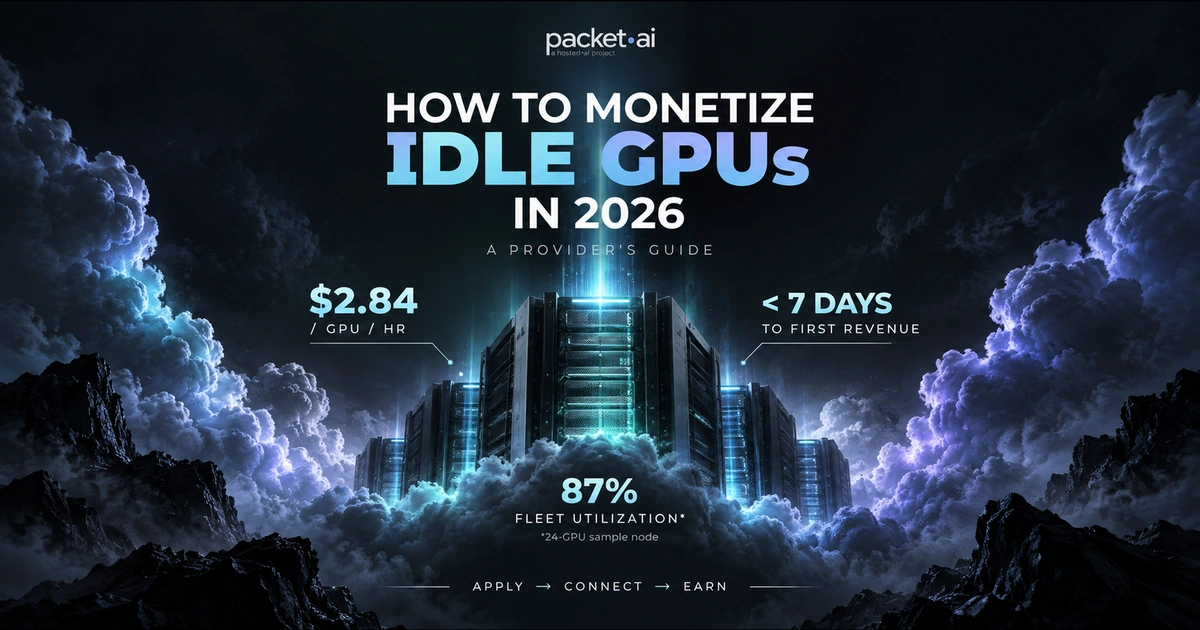
If you want to rent out your GPU for AI work in 2026, datacenter-grade hardware on verified provider networks earns an average of $2.84/GPU/hr blended across SKUs - with providers on the packet.ai network averaging 87% fleet utilization within the first 30 days (packet.ai provider dashboard, Oct 2026).
Key takeaways
AI compute demand outstripped supply again in 2026. Hyperscalers are backlogged. Mid-size companies need GPU access in days, not quarters. That gap creates real GPU rental income for anyone sitting on idle NVIDIA hardware - whether that's a mining rig that stopped paying in crypto, or a rack of H100s running at 30% utilization on weekends. If you want to know what GPU cloud actually costs and how it works, that post covers the demand side. This one covers the supply side: how to rent out your GPU, what it pays, what it takes, and what most guides skip about the risks.
At the end: a week-by-week 30-day plan to go from idle hardware to your first paying workload.
A single A100 80GB on the packet.ai provider network earns approximately $1,305/month gross at 87% utilization and $2.10/GPU/hr, before power and platform fees. Getting to that number requires picking the right model first - because the three paths to GPU rental income differ enormously in upfront effort, ongoing operations, and revenue ceiling.
Open marketplaces give you pricing control and the widest pool of renters, but you compete on price against hundreds of other providers. Consumer GPUs like the RTX 5090 typically earn $0.30 to $0.60 per GPU-hour on open marketplaces, depending on rental type and reliability score. Datacenter-grade hardware such as H100s and H200s commands $2.15 to $4.00+ per GPU-hour, according to Vast.ai's own published guidance (May 2026). Your reliability score - a measure of uptime and connection stability - directly affects placement in search results and how fast you fill capacity.
Building your own cloud makes sense only at significant scale with dedicated engineering resources. You control 100% of the margin but also own 100% of the billing engine, provisioning agent, support queue, and compliance burden. Most GPU owners with fewer than 50 nodes find the operational overhead erases the margin advantage within the first year.
Curated provider networks sit between those two. packet.ai's provider program handles customer acquisition, billing, 24/7 support, and VM provisioning through the hosted.ai lightweight agent you install on your hosts. You keep full root and physical access to the hardware at all times. The tradeoff: the platform takes a fee (exact structure shared during onboarding), and requirements are stricter than open marketplaces.
Which model fits depends on your hardware tier, your datacenter environment, and how much time you want to spend on operations. Most operators with datacenter-grade hardware and a target of minimal overhead land on option three.
The biggest mistake first-time GPU hosts make is listing before the infrastructure is ready. A single node outage during a customer's training run will follow your account as a reliability score hit that takes weeks to repair. Here is what verified providers on the packet.ai network need before going live:
NVIDIA datacenter-grade GPU
Accepted SKUs: B200, H200, H100, A100 80GB, RTX 6000 Pro, L40S, RTX 5090, RTX 4090. Consumer-grade setups and home-lab environments are not eligible. Each tier earns a different rate band - Blackwell-generation hardware commands premium pricing.
1 Gbps+ network with stable peering
AI workloads move large model checkpoints and datasets - a 70B parameter checkpoint is roughly 140 GB at FP16. Network latency and jitter are verified during onboarding. Residential broadband, regardless of speed, typically fails jitter requirements. Enterprise or datacenter-grade connectivity is the baseline.
Redundant power with stable cooling
N+1 power redundancy is ideal. A100 80GB draws up to 400W per GPU. B200 draws up to 1,000W (1 kW) per GPU - plan your power budget accordingly. An 8-card B200 node at full load draws 8 kW. If your facility cannot sustain full-load draw with one circuit down, a power event becomes a customer incident. GPU throttling under thermal load breaks ML workloads in ways that are difficult to diagnose remotely.
99%+ uptime capability
99% uptime means no more than 7.2 hours of downtime per month. This is not a stretch target - it is the floor packet.ai screens for during application review. If your facility has planned maintenance windows that exceed this, factor that into your application timeline before submitting.
Compatible BIOS revision and Ubuntu LTS
The hosted.ai provisioning agent runs on your hosts using KVM-based GPU passthrough. GPU model and BIOS revision are verified during the application process. Ubuntu LTS with the latest NVIDIA drivers is the standard baseline. The agent exposes a minimal, audited API for VM lifecycle management over a defined interface - it does not transmit workload data back to the platform, and you retain full BMC access.
Note for crypto miners
Consumer GPUs from mining rigs - even high-end ones - often fall below the hosting environment requirements for curated provider networks. Open marketplaces like Vast.ai accept a wider range of hardware. If you are moving from mining to AI hosting, verify your GPU model, BIOS version, and facility environment against each platform's published requirements before applying. Most rejections come from network jitter, not GPU model.
A single A100 80GB listed at $2.10/GPU/hr and running at 87% utilization generates approximately $1,305 gross per month before power and platform fees. At a datacenter power rate of $0.10/kWh, the same card costs roughly $29/month to run at full draw - leaving approximately $1,276 before the platform's fee structure is applied. That is the make money with GPU calculation most guides skip.
Most published GPU rental income estimates look good in isolation because they ignore utilization rate, platform fees, and power cost. The three tables below show the real math across two GPU classes.
*Provider rates from packet.ai provider dashboard sample data (Oct 2026). Rates vary by GPU tier, region, and contract - exact structure shared during onboarding. Power assumes $0.10/kWh datacenter rate at full GPU TDP; adjust for your facility. Single-GPU figures; multi-GPU nodes scale proportionally. See packet.ai/pricing for current customer-facing rates.
An 8-card B200 node at full load draws 8 kW. At $0.10/kWh running around the clock, that is $576/month in power alone. At commercial electricity rates ($0.15-$0.20/kWh), that figure nearly doubles to $864-$1,152/month. Build this into your model before you apply anywhere - it is the variable most GPU rental income guides omit entirely.
Break-even example
An A100 80GB purchased at current market replacement cost of roughly $10,000 earning $1,305/month gross at 87% utilization pays back the hardware cost in approximately 7-8 months before platform fees and power. At 60% utilization ($891/month gross), payback extends to 11-12 months. Always model against current replacement cost, not your original purchase price. Use the packet.ai earnings calculator to run your specific numbers.
The 87% average fleet utilization figure comes directly from packet.ai's provider network data. Utilization is the single biggest lever in the earnings formula - a GPU sitting idle earns nothing regardless of the listed rate. Curated networks that bring verified enterprise customers fill capacity faster than open marketplaces, where the demand mix includes more experimental and short-burst jobs.
Rule of thumb
Realistic monthly GPU rental income = (provider rate/hr) x (720 hrs x utilization %) minus power. Power is 3-8% of gross revenue at datacenter electricity rates for A100-class hardware; it rises to 10-15% for B200-class hardware at $0.10/kWh. Platform fees are a larger variable - verify the exact structure during onboarding before making investment decisions.
The GPU rental income guides that circulate on Reddit and LinkedIn focus on the upside. Four risks are consistently underplayed.
Security and workload isolation is the first thing to understand. When you rent GPU capacity to third parties, their code runs on your hardware. Curated networks like packet.ai use containerized workloads with KVM-based GPU passthrough, so each customer's job runs isolated from others at the hypervisor level. On open marketplaces, isolation quality varies by platform. Before listing anywhere, read the platform's technical documentation on workload isolation. Know whether your host OS is directly exposed and whether customers can attempt to enumerate the host environment. The hosted.ai provisioning agent on packet.ai exposes a minimal, audited API and does not grant customers network-level access to the host.
Downtime risk during active rentals catches people off guard. On most platforms, an active rental contract binds you to keeping the hardware available through the end date. packet.ai requires 14 days' notice to withdraw capacity if a GPU is currently occupied, to allow time for workload migration. A sudden hardware failure during a customer's 30-day fine-tuning run creates a support incident the platform resolves, but the utilization gap and reliability score impact fall on you.
Hardware depreciation is the slowest-moving and most ignored risk. GPU pricing moves fast. An A100 80GB that commanded $2.50/hr on the market in 2024 now competes against H100 clusters at similar customer rates in 2026. Models from a generation back do not disappear, but their rate bands compress. Build a depreciation schedule into your ROI calculation - and run it against current replacement cost, not your original purchase price.
Watch out
Do not model GPU rental income against your original purchase price if that price was inflated by a shortage period. The relevant benchmark is what a comparable GPU costs to replace today, because that is what your customers can alternatively rent. If your A100s cost $15,000 each during a 2023 shortage and equivalent capacity now lists at $1.43/hr Dedicated on packet.ai, run your ROI against current replacement cost, not sunk cost.
Tax exposure is the fourth risk and the one nobody mentions. GPU rental income is generally taxable in most jurisdictions - as business income in most cases, not passive income. Depreciation schedules, electricity costs, and facility costs may be deductible, but the rules vary significantly by country and entity structure. Consult a tax professional before treating GPU hosting revenue as passive income. This is not tax advice.
Revenue gaps during low-demand periods compound all of the above. Utilization on open marketplaces is not guaranteed. Curated networks with verified enterprise customers sustain higher average utilization - packet.ai's provider network averages 87% fleet utilization - but no platform guarantees 100% occupancy. Plan cash flow for months where utilization drops to 50-60%, particularly if you are carrying hardware financing.
The three major categories of GPU rental platforms differ enough in requirements, revenue structure, and customer quality to affect which one fits your situation.
packet.ai's provider program is built for operators who want to monetize verified datacenter hardware without building a cloud business around it. The tradeoff is real: hardware requirements are stricter than open marketplaces, and the exact revenue split is disclosed during onboarding. The public data shows an average provider payout of $2.84/GPU/hr blended across all SKUs on the network, bi-weekly direct payouts, and no minimum commitment to stay enrolled.
For a GPU farm moving out of crypto mining, the choice is usually between Vast.ai (lower barrier, consumer-grade accepted, more pricing competition) and packet.ai (datacenter-grade requirement, enterprise customers, higher average utilization, less active management). Both are legitimate. The right one depends on your hardware and hosting environment. See the packet.ai provider overview for the full hardware eligibility list. For the demand side, browse available GPU clusters on packet.ai to see the workloads your hardware would serve. The packet.ai scheduler and isolation architecture explains how workload isolation works in detail.
Most GPU hosts who fail in the first 90 days do so because they move too fast in weeks one and two and too slow in weeks three and four. Here is a realistic plan.
Week 1: Audit hardware, network, and power
Confirm GPU model and BIOS revision. Stress-test the network for latency and jitter under load - tools like iPerf3 and ping under sustained throughput reveal jitter that a casual speedtest misses. Measure actual power draw at 100% GPU utilization using a PDU with per-outlet metering, not the GPU's reported TDP. Verify cooling can sustain peak thermal load for 4+ hours without throttling. Document your uptime history for the past 90 days. Any gap you find now is better than a failed onboarding verification.
Week 2: Apply and prepare the environment
Submit your application via the packet.ai provider page. Include GPU model, node count, hosting environment details, and network specs. Applications are reviewed within two business days. While you wait: install Ubuntu LTS, the latest NVIDIA drivers, and CUDA. Read the hosted.ai provisioning agent documentation so you can move fast once approval comes.
Week 3: Install agent, verify, go live
Install the hosted.ai provisioning agent and complete the verification sequence. BIOS revision, network quality, and GPU performance are tested on a randomized schedule. Your first workload customer typically lands within 24-72 hours of successful verification. Monitor power, temperature, and NVMe utilization closely in this window - anomalies are easier to catch before a long training run starts than after.
Week 4 onward: Review metrics, scale, and optimize
Export the provider dashboard CSV and run it against your power bill to get a clean actual margin figure. At 87% utilization sustained, expansion follows a clear path: add nodes at the same tier to multiply earnings linearly, or apply for cluster-scale pricing through the packet.ai wholesale quote form - multi-node deployments typically land 30% below retail on 12-month terms. Your first bi-weekly payout arrives roughly two weeks after your hardware starts earning.
What happens to your GPU during AI workloads?
This is the question every miner asks and few guides answer. AI training runs GPUs at sustained high utilization - typically 80-100% compute for hours or days at a time. This is actually gentler than cryptocurrency mining in one key way: the memory access patterns in ML workloads are more predictable and do not stress HBM or GDDR6 as aggressively as constant random-access crypto hashing. Sustained thermal load is the real hardware risk, which is why verified providers must demonstrate stable cooling before going live.
Run the packet.ai earnings calculator before applying. Plug in your GPU model, node count, and local power rate to get a projected monthly take-home - then apply when the numbers work for your situation.
Last reviewed: October 5, 2026. Provider rates and utilization data from packet.ai provider dashboard (Oct 2026) and Vast.ai published guidance (May 2026). Platform fee structures are shared during onboarding and are not published externally. This post is not tax or financial advice - consult a qualified professional for your jurisdiction. Apply to become a packet.ai provider or browse available clusters.
Same models. Same API. Fraction of the cost. Start free — no credit card required.
Start Building →