
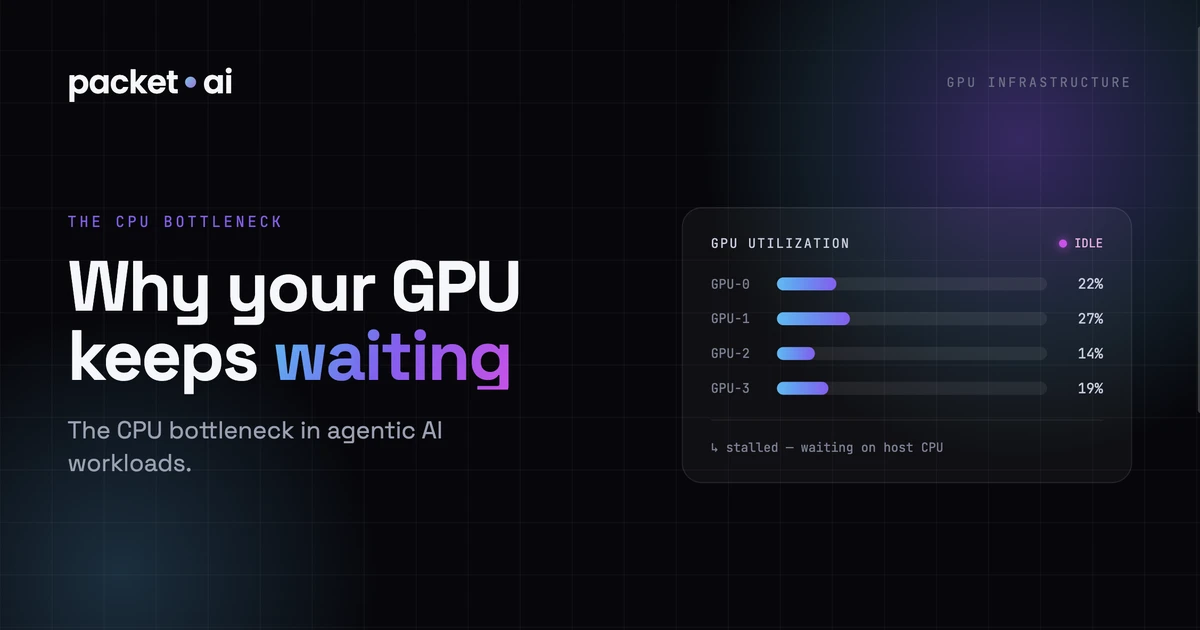
Your GPU isn't always the bottleneck. In agentic AI pipelines, tool calls and orchestration leave GPUs idle for the majority of each request - here's what's actually happening and how to fix it.
In agentic AI pipelines, the CPU accounts for 60-90% of total wall-clock time per request - meaning your $5.90/hr B200 GPU sits idle while a slower chip decides what to do next.
Agentic AI workloads expose a bottleneck that standard GPU benchmarks do not measure: the CPU. When an agent calls a tool, the GPU pauses. It waits for the tool to execute, the result to be retrieved, and the orchestration layer to construct the next prompt before inference resumes. In a workload with 10 tool calls per request, those pauses add up to the majority of wall-clock time, leaving your B200 or H100 idle for most of the request lifecycle.
This guide covers what causes CPU starvation in agentic pipelines, how to diagnose it, and what to change in your infrastructure before you decide to rent more GPUs.
In a standard LLM inference pipeline, the GPU is almost always the constraint. The CPU loads data, tokenizes input, and handles HTTP overhead, but inference itself is GPU-bound. The GPU utilisation metric stays high and the bottleneck is clear.
Agentic pipelines break this model. A single agent step typically looks like this:
1. Receive user query (CPU: HTTP parse, tokenize)
2. Run inference: generate tool call (GPU: 10-40ms)
3. Parse tool call from output (CPU)
4. Execute tool: web search, DB query, API call (CPU/Network: 50-800ms)
5. Format tool result into context (CPU)
6. Run inference: generate response (GPU: 30-200ms)
7. Serialize and return (CPU)
Steps 1, 3, 4, 5, and 7 run on CPU. Step 4 alone (tool execution) typically takes 50-800ms per call depending on what the tool does. A retrieval-augmented agent calling a vector database adds 20-100ms per retrieval. A code execution agent waiting for a subprocess can add seconds.
The GPU is idle during all of this. On a workload with 10 tool calls per request, GPU utilisation commonly falls to 10-30% even under heavy load, because the GPU is not saturated, it is waiting.
The first step is measurement. GPU utilisation is the fastest signal:
Quick diagnostic: check GPU utilisation under load
nvidia-smi dmon -s u -d 1  # per-second GPU utilisation
# Or in Python:
import subprocess
result = subprocess.run(['nvidia-smi', '--query-gpu=utilization.gpu', '--format=csv,noheader'],
                       capture_output=True, text=True)
print(result.stdout)
If GPU utilisation is below 40% on an agentic workload under meaningful load, you have a CPU bottleneck. If it is above 80% and latency is high, you have a GPU compute bottleneck. Most teams renting an A100 or B200 for agentic AI find utilisation in the 15-35% range because the GPU is starved by orchestration overhead.
A more precise measurement comes from tracing the time spent in each phase. LangSmith, Weights & Biases Traces, and OpenTelemetry instrumentation all let you attribute wall-clock time per step. Once you can see that 70% of a request cycle is spent outside the GPU, you know where to optimize.
The most common cause. The agent generates a tool call, the orchestration layer calls the tool synchronously, and waits for the result before constructing the next inference call. During that wait, the GPU processes zero tokens for that request.
If the agent generates five tool calls in sequence, and each tool takes 200ms, the total CPU-bound wait is 1 second before the final inference call can begin. A B200 at $5.90/hr running at 15% utilisation during that window is generating $0.89/hr of value while billing $5.90/hr.
Retrieval-augmented generation adds vector database queries to the request cycle. A single query to a hosted vector DB typically takes 20-80ms. An agent that retrieves context for each tool call sequentially can stack 5-10 retrieval calls per request, adding 100-800ms of pure CPU/network wait before inference sees the context.
Agentic frameworks often reconstruct the full conversation context, tool call history, and system prompt on every inference call. For long contexts and large tool outputs, this serialization and tokenization step can add 5-50ms of pure CPU work per step, which compounds across hundreds of concurrent requests.
If the agent generates multiple tool calls that are independent, execute them concurrently rather than sequentially. In Python, asyncio.gather() lets you fan out to multiple tool calls in parallel. If three tools each take 300ms synchronously (900ms total), concurrent execution reduces total wait to ~300ms.
Async tool execution pattern
import asyncio

async def run_tools_concurrently(tool_calls):
    tasks = [execute_tool(call) for call in tool_calls]
    results = await asyncio.gather(*tasks)
    return results

# Instead of:
for call in tool_calls:
    result = await execute_tool(call)  # sequential

# Use:
results = await run_tools_concurrently(tool_calls) # parallelFor RAG pipelines where the retrieval query is predictable, start the vector search before the previous inference call completes. Speculative retrieval overlaps network latency with GPU compute time. This works best when the retrieval query is determined by the user input rather than the model output.
If multiple concurrent users trigger the same tool (e.g., a shared knowledge base query), batch those requests at the tool layer rather than making N separate calls. This is especially effective for database lookups and API calls with per-request overhead.
On pure inference workloads, a single CPU core per GPU is often sufficient. On agentic workloads with heavy tool execution, you may need 4-8 CPU cores per GPU to keep orchestration from stalling inference. packet.ai dedicated instances include configurable CPU allocation, so you can match compute resources to your workload profile rather than taking a fixed ratio. For a deeper look at how server hardware form factor affects CPU and power headroom per GPU, see the SXM vs PCIe breakdown.
More GPU helps when your bottleneck is inference throughput, not orchestration overhead. The signal: GPU utilisation is consistently above 70-80% and latency is dominated by token generation time rather than tool call latency.
In practice, most agentic AI teams are CPU-bottlenecked at moderate scale. The shift happens when:
When those conditions hold, renting more GPU capacity scales throughput. When they do not, more GPU buys idle capacity at $3.75-5.90/hr while the bottleneck remains in your orchestration layer.
packet.ai single-tenant dedicated GPU instances mean your GPU is not shared with other workloads. For agentic AI, this matters because shared infrastructure adds jitter from noisy neighbours on top of your existing orchestration latency. A dedicated A100 at $1.43/hr or B200 at $3.75/hr gives you predictable GPU access time without queuing behind other tenants.
For teams building agentic AI infrastructure, the starting question is not which GPU to rent but how much of your workload is actually GPU-bound. Run the utilisation diagnostic first, profile your tool call latency, and fix the synchronous execution pattern before scaling GPU capacity. The efficiency gain from async tooling alone typically reduces GPU rental spend by 30-60% on agentic workloads.
Deploy a dedicated A100 or B200 on packet.ai: see current pricing.
Last reviewed: July 2026. Deploy a dedicated GPU for agentic AI on packet.ai: see current GPU pricing on packet.ai.
Same models. Same API. Fraction of the cost. Start free — no credit card required.
Start Building →
.webp)