Your 70B model needs 70 GB at FP8 versus 140 GB at BF16. That difference is one GPU or two. And on packet.ai, one B200 at $3.75/hr runs it cheaper than two H100s anywhere else.
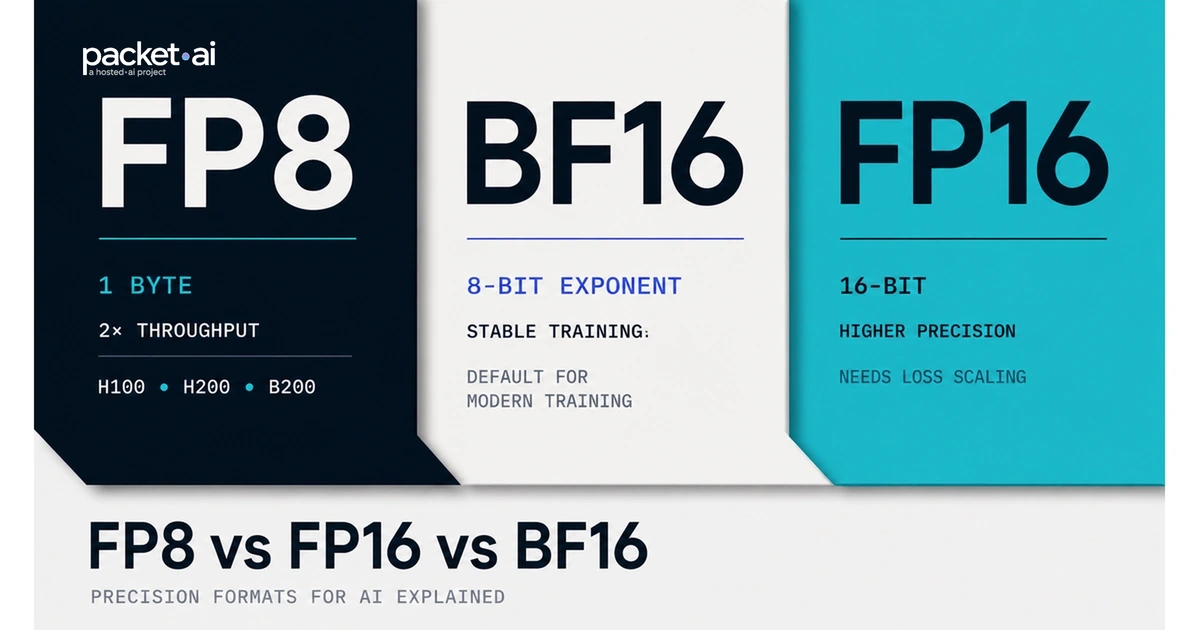
FP8 vs FP16 vs BF16: FP8 uses 1 byte per parameter versus 2 bytes for FP16 and BF16, delivering roughly 2x throughput on H100, H200, and B200 via NVIDIA's Transformer Engine. The A100 does not support FP8. Choosing the wrong format costs memory, not correctness.
Key takeaways
The format name is literal. FP8 means 8-bit floating point. FP16 means 16-bit. BF16 means Brain Float 16. The number is the total bit width used to represent each value in GPU memory. Fewer bits means less memory per parameter and higher throughput; the tradeoff is representable precision and numeric range.
For solo developers and small teams, the format choice is also a cost decision. FP8 halves the VRAM a model needs. That difference can mean one GPU instead of two, one bill instead of two. For a 70B model, BF16 requires two H100s at roughly $5/hr combined. FP8 on a single B200 at $3.75/hr does the same job faster.
The wrong format choice does not throw an error. It causes a model that runs out of memory, trains 2x slower than it should, or produces outputs degraded just enough to be hard to debug.
Every floating-point format allocates its bits across three fields: a sign bit, an exponent, and a mantissa. The exponent determines the range of representable values. The mantissa determines the precision within that range. The tradeoffs between FP8, FP16, and BF16 come directly from how those bits are divided.
| Format | Total bits | Exponent bits | Mantissa bits | Memory per parameter | Dynamic range |
|---|---|---|---|---|---|
| FP32 | 32 | 8 | 23 | 4 bytes | 1.2e-38 to 3.4e+38 |
| BF16 | 16 | 8 (same as FP32) | 7 | 2 bytes | Same as FP32 |
| FP16 | 16 | 5 | 10 (more precise) | 2 bytes | 6.1e-5 to 6.5e+4 only |
| FP8 E4M3 | 8 | 4 | 3 | 1 byte | Weights and activations |
| FP8 E5M2 | 8 | 5 | 2 | 1 byte | Gradients (wider range) |
BF16 is a truncated version of FP32. It keeps the 8-bit exponent intact, which preserves the full numeric range needed to handle large and small gradients in training. It discards 16 of FP32's 23 mantissa bits, reducing precision. FP16 takes the opposite approach: it keeps 10 mantissa bits for better per-value precision, but shrinks the exponent to 5 bits. That narrower range causes the overflow errors that make FP16 training unstable on large models without loss scaling.
The practical consequence of bit width is straightforward. Each parameter stored in BF16 or FP16 takes 2 bytes. Each parameter stored in FP8 takes 1 byte. A 70B parameter model occupies 140 GB at BF16 and 70 GB at FP8 for weights alone, before counting KV cache and activations.
| Model size | FP32 (weights) | BF16 / FP16 | FP8 | Fits on single B200 (192 GB) at FP8? |
|---|---|---|---|---|
| 13B | 52 GB | 26 GB | 13 GB | Yes, all variants |
| 70B | 280 GB | 140 GB | 70 GB | Yes, with room for KV cache |
| 405B | 1,620 GB | 810 GB | 405 GB | No. Requires 3+ B200s at FP8 |
H100 SXM and H200 SXM deliver 3,958 TFLOPS at FP8, exactly double their 1,979 TFLOPS BF16 throughput. This 2x gain is not from running faster. It comes from the Transformer Engine processing two FP8 values per Tensor Core clock cycle where BF16 processes one.
| GPU | Architecture | BF16 TFLOPS | FP8 TFLOPS | FP8 support |
|---|---|---|---|---|
| A100 SXM | Ampere | 312 TFLOPS | Not supported | No |
| H100 SXM | Hopper | 1,979 TFLOPS | 3,958 TFLOPS | Yes (Transformer Engine) |
| H200 SXM | Hopper | 1,979 TFLOPS | 3,958 TFLOPS | Yes (Transformer Engine) |
| B200 SXM | Blackwell | 2,250 TFLOPS | 4,500 TFLOPS | Yes (2nd-gen TE + FP4) |
Sources: NVIDIA H100 and H200 datasheets. B200 figures from NVIDIA Blackwell architecture specifications. All TFLOPS are dense (no structured sparsity).
FP16 was the original mixed precision training format, introduced alongside NVIDIA Volta. The problem is the exponent field. With only 5 bits, FP16 can represent values roughly from 6.1e-5 to 6.5e+4. Gradient values during training routinely fall outside this range, causing underflow (gradients rounded to zero) or overflow (NaN loss). The standard workaround is a gradient scaler that dynamically adjusts the loss scale, workable, but another moving part.
BF16 removes the scaler requirement. By keeping 8 exponent bits, BF16 can represent the same numeric range as FP32. Gradient overflow is no longer a problem. The tradeoff is mantissa precision: BF16 has 7 mantissa bits versus FP16's 10, meaning BF16 represents values with slightly less per-step precision. For training transformer models, the dynamic range advantage outweighs the precision reduction. For inference on tasks where per-token precision matters more than gradient stability, FP16 can still produce slightly better output quality than BF16.
Use BF16 when
Use FP16 when
FP8 inference is where the precision format choice becomes a direct cost decision. A 70B model loaded at FP8 fits on a single B200 (192 GB), removing the need for tensor parallelism across multiple GPUs. The same model at BF16 requires at least two H100 or H200 GPUs, which adds inter-GPU communication overhead and doubles the GPU-hour cost.
FP8 is supported only on Hopper (H100, H200) and Blackwell (B200) architectures. The A100 does not support FP8. On these GPUs, FP8 inference is production-ready in vLLM, TensorRT-LLM, and SGLang. For a deep dive on how interconnect bandwidth affects multi-GPU FP8 workloads, see the NVLink vs PCIe for AI Workloads guide.
vLLM FP8 inference on H100
Pass --quantization fp8 to activate the built-in FP8 quantizer. vLLM handles per-tensor scaling automatically using calibration statistics.
from vllm import LLM, SamplingParams

llm = LLM(
    model="meta-llama/Llama-3.1-70B-Instruct",
    quantization="fp8",
    dtype="auto"
)

outputs = llm.generate(
    ["Explain tensor parallelism in two sentences."],
    SamplingParams(temperature=0.7, max_tokens=256)
)
packet.ai's B200 SXM at $3.75/hr is the cheapest on-demand FP8-capable GPU available in 2026, 46% below Lambda and 74% below AWS p6 ($14.24/hr) for the same silicon.
| Provider | B200 on-demand / GPU-hr | Minimum GPUs | Contract required | Monthly (1 GPU, 24/7) |
|---|---|---|---|---|
| packet.ai | $3.75 | 1 GPU | None | ~$2,728 |
| Lambda Labs | $6.99 | 1 GPU | None | ~$5,087 |
| RunPod | $5.89 | 1 GPU | None | ~$4,285 |
| CoreWeave | $8.60+ (8-GPU min) | 8 GPUs | Yes (sales process) | ~$50,000+ |
| AWS p6 | $14.24 | 8 GPUs | No (on-demand) | ~$10,395 |
Prices verified August 2026. CoreWeave and AWS require 8-GPU cluster minimums. packet.ai, Lambda, and RunPod offer single-GPU access. Monthly figures assume continuous 24/7 operation at the listed on-demand rate.
If you want FP8 inference without managing GPU instances, packet.ai Token Factory (currently in private preview) runs on the same B200 hardware and charges per token, no instance management, no idle billing.
PyTorch's automatic mixed precision (AMP) handles BF16 without any additional libraries. The autocast context manager transparently casts eligible operations to BF16 while keeping accumulation and loss in FP32.
import torch

model = MyModel().to("cuda")
optimizer = torch.optim.AdamW(model.parameters(), lr=3e-4)

for batch in dataloader:
    optimizer.zero_grad()

    # BF16 autocast: no loss scaler needed
    with torch.autocast(device_type="cuda", dtype=torch.bfloat16):
        output = model(batch["input_ids"])
        loss = criterion(output, batch["labels"])

    loss.backward()
    optimizer.step()
FP8 training requires NVIDIA Transformer Engine, which ships with the CUDA Toolkit and integrates with PyTorch. The Transformer Engine uses E4M3 for forward pass weights and activations, and E5M2 for gradient tensors in the backward pass. This split uses the higher-precision E4M3 format where numerical accuracy matters most.
import transformer_engine.pytorch as te
from transformer_engine.common.recipe import Format, DelayedScaling

fp8_recipe = DelayedScaling(
    fp8_format=Format.HYBRID,
    amax_history_len=16,
    amax_compute_algo="max"
)

with te.fp8_autocast(enabled=True, fp8_recipe=fp8_recipe):
    output = model(input_tensor)
    loss = criterion(output, target)
FP8 training via Transformer Engine requires replacing standard PyTorch linear layers with te.Linear layers. Full model support is available in NeMo, Nanotron, and recent versions of Hugging Face Accelerate. For multi-GPU FP8 training, the interconnect between GPUs matters as much as the precision format, see the NVLink vs PCIe comparison for how bandwidth limits scale.
Decision summary
For training: use BF16 mixed precision on any Ampere or newer GPU. For inference: use FP8 on H100, H200, or B200 if the model is 30B+ and memory is the constraint. For older GPUs or models under 13B where a single card is sufficient, BF16 inference is the simpler and equally performant choice. On packet.ai: B200 from $3.75/hr for FP8, A100 from $1.43/hr for BF16 training.
Last reviewed: 2026-08-05. For FP8-capable GPU clusters: H100 SXM Launching Soon (waitlist), H200 SXM Launching Soon (waitlist), and B200 SXM from $3.75/hr (on-demand now). For BF16 training on A100 from $1.43/hr, see packet.ai pricing. For managed FP8 inference without GPU provisioning, see packet.ai Token Factory (private preview).
Same models. Same API. Fraction of the cost. Start free — no credit card required.
Start Building →