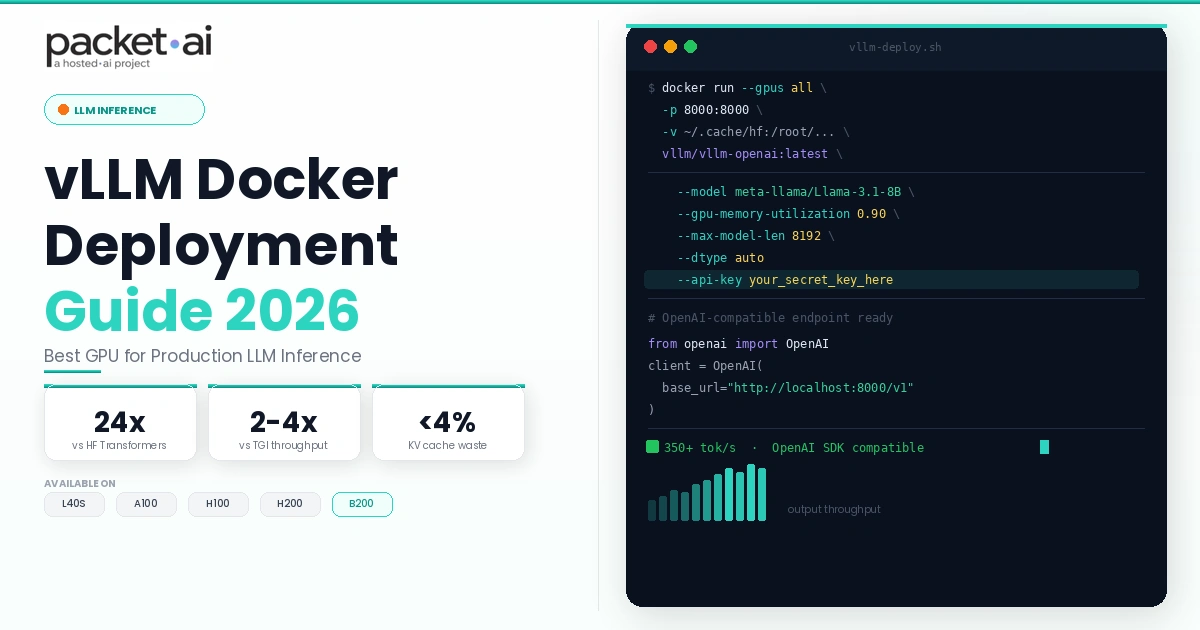
Most teams hit OOM errors before their first successful vLLM request. Working Docker commands, exact VRAM math per model size, and GPU pricing from $0.66/hr.
vLLM with Docker is the fastest path to production LLM inference: containerize once, run on any NVIDIA GPU with Compute Capability 7.0+, and serve an OpenAI-compatible API with up to 24x higher throughput than bare HuggingFace Transformers.
Key takeaways
vllm/vllm-openai. Needs NVIDIA Container Toolkit, CUDA 12.1+, Compute Capability 7.0+.GPU inference is not hard to start. It is hard to run at scale without hitting OOM errors, overpaying for idle compute, or shipping a server that collapses at 20 concurrent users. vLLM was built to solve exactly that problem, and Docker makes every deployment reproducible. This guide covers the complete path: GPU sizing, Docker setup, memory tuning, multi-GPU tensor parallelism, a framework comparison, and cloud cost math.
If you are still sizing GPUs for your model first, the packet.ai VRAM requirements guide maps every major model to a GPU and price per hour before you commit to hardware.
Standard inference pipelines allocate a contiguous memory block for the key-value cache of every sequence at the maximum possible context length. If your limit is 4,096 tokens but the average request uses 512, 87% of that allocation sits empty for the life of the request. At scale, this fragmentation is why GPUs stall before compute is ever saturated.
vLLM solves this with PagedAttention, developed at UC Berkeley's Sky Computing Lab and published as an arXiv paper in 2023. PagedAttention applies operating system virtual memory paging to the KV cache: instead of one contiguous block per sequence, it stores KV tensors in non-contiguous fixed-size pages, allocating only what each token actually uses. Memory waste drops from 60-80% to under 4%. Combined with continuous batching, which inserts new sequences into the active batch at every token step rather than waiting for the longest request to finish, vLLM delivers up to 24x higher throughput than HuggingFace Transformers and 2-4x higher throughput than TGI on identical hardware, per the vLLM benchmarking documentation.
TGI (Text Generation Inference by HuggingFace) entered maintenance mode in December 2025. It now only accepts security and critical bug fixes, and HuggingFace's own Inference Endpoints product has migrated to vLLM as the backend. SGLang, from the same UC Berkeley group, is the only other actively developed open-source inference engine. Both expose an OpenAI-compatible REST API, so migrating existing client code requires one line change: the base URL.
vLLM holds model weights plus the peak KV cache for all concurrent requests simultaneously in GPU memory. Always size for peak concurrency, not average load. A single H100 80 GB serving 32 concurrent users on a 70B FP16 model needs over 200 GB, which is exactly why multi-GPU tensor parallelism exists.
| GPU | VRAM | Models that fit (weights only) | packet.ai price |
|---|---|---|---|
| L40S | 48 GB | 7B-13B FP16, 70B Q4_K_M (~40 GB) | from $0.92/hr |
| A100 80GB | 80 GB | 70B Q4_K_M or Q8, 30B FP16 | from $1.43/hr |
| H100 SXM 80GB | 80 GB | 70B FP8 (~70 GB), 30B FP16 | from Launching Soon |
| H200 SXM 141GB | 141 GB | 70B FP16 (~140 GB), 405B Q4 (multi-GPU) | from Launching Soon |
| Workload | Precision | VRAM needed | GPU to rent | packet.ai price |
|---|---|---|---|---|
| 7B to 13B models | FP16 | 16-26 GB | L40S 48GB | from $0.92/hr |
| 70B models | Q4_K_M | ~40 GB | L40S 48GB | from $0.92/hr |
| 70B models | FP8 | ~70 GB | H100 SXM 80GB | from Launching Soon |
| 70B models, single card | FP16 | ~140 GB | H200 SXM 141GB | from Launching Soon |
| 70B fine-tuning (QLoRA) | 4-bit + LoRA | ~45 GB | A100 80GB | from $1.43/hr |
| 405B or Llama 4 Maverick | FP16 / Q4 | 192+ GB | B200 192GB or 4x H200 | from $3.75/hr |
The rule of thumb: FP16 weight size in GB equals roughly (parameter count in billions) times 2. A 70B model weights approximately 140 GB at FP16. Add 20-30% on top for the KV cache at your target concurrency. FP8 halves the weight footprint; Q4_K_M quantization takes it to roughly 0.5 GB per billion parameters.
vllm/vllm-openai on Docker Hub. Pin to a version tag in production.vllm/vllm-openai:rocm. Separate image, same API surface.The NVIDIA Container Toolkit must be installed on the host before Docker can pass GPU access to containers. On Ubuntu:
curl -fsSL https://nvidia.github.io/libnvidia-container/gpgkey | sudo gpg --dearmor -o /usr/share/keyrings/nvidia-container-toolkit-keyring.gpg
curl -s -L https://nvidia.github.io/libnvidia-container/stable/deb/nvidia-container-toolkit.list | \
  sed 's#deb https://#deb [signed-by=/usr/share/keyrings/nvidia-container-toolkit-keyring.gpg] https://#g' | \
  sudo tee /etc/apt/sources.list.d/nvidia-container-toolkit.list
sudo apt-get update
sudo apt-get install -y nvidia-container-toolkit
sudo nvidia-ctk runtime configure --runtime=docker
sudo systemctl restart docker
Verify GPU access is working before pulling vLLM:
docker run --rm --gpus all nvidia/cuda:12.1.0-base-ubuntu22.04 nvidia-smiPull the official image:
docker pull vllm/vllm-openai:latestStart the inference server for a 7B or 13B model on a single GPU:
docker run --runtime nvidia --gpus all \
  -p 8000:8000 \
  --ipc=host \
  vllm/vllm-openai:latest \
  --model meta-llama/Llama-3.1-8B-Instruct \
  --api-key your-secret-key
The --ipc=host flag is required. vLLM uses shared memory for tensor parallelism inter-process communication, and the default Docker IPC namespace is too small. Without it, multi-GPU deployments fail silently with CUDA errors.
Test the endpoint:
curl http://localhost:8000/v1/chat/completions \
  -H "Content-Type: application/json" \
  -H "Authorization: Bearer your-secret-key" \
  -d '{
    "model": "meta-llama/Llama-3.1-8B-Instruct",
    "messages": [{"role": "user", "content": "What is vLLM?"}]
  }'
Or from Python using the openai SDK with no other code changes:
from openai import OpenAI
client = OpenAI(base_url="http://localhost:8000/v1", api_key="your-secret-key")
response = client.chat.completions.create(
    model="meta-llama/Llama-3.1-8B-Instruct",
    messages=[{"role": "user", "content": "What is vLLM?"}]
)
print(response.choices[0].message.content)Two flags control how aggressively vLLM uses GPU memory. Getting these wrong is the most common cause of both OOM errors and underperforming throughput.
--gpu-memory-utilization sets the fraction of GPU VRAM vLLM reserves for itself. Default is 0.90 (90%). The remaining 10% stays free for CUDA kernels, PyTorch overhead, and the OS. Raising this above 0.95 on GPUs with tight VRAM budgets triggers OOM errors. Lowering it below 0.85 leaves throughput on the table.
--max-model-len caps the context window. vLLM allocates KV cache pages based on the maximum sequence length, so a shorter limit directly reduces KV cache VRAM consumption. If your application never uses contexts longer than 4,096 tokens, setting --max-model-len 4096 recovers significant VRAM that would otherwise sit unused.
docker run --runtime nvidia --gpus all \
  -p 8000:8000 \
  --ipc=host \
  vllm/vllm-openai:latest \
  --model meta-llama/Llama-3.3-70B-Instruct \
  --gpu-memory-utilization 0.92 \
  --max-model-len 8192 \
  --api-key your-secret-key
OOM error pattern to watch for
If you see torch.cuda.OutOfMemoryError on startup, reduce --gpu-memory-utilization by 0.05 increments before any other change. If you see it mid-request under load, add --max-model-len to cap the context window. The second error is KV cache growth, not weight loading.
Models that exceed single-GPU VRAM require tensor parallelism: the model weight matrices are sharded across multiple GPUs, with each GPU holding and computing over a slice. vLLM uses NCCL for inter-GPU communication. NVLink (SXM form factor GPUs: H100, A100) delivers significantly higher bandwidth than PCIe, which is reflected in real throughput scaling.
| GPU type | Interconnect | Scaling per card | Use case |
|---|---|---|---|
| H100 SXM, A100 SXM | NVLink 900 / 600 GB/s | 0.92x | Large model inference, training |
| L40S, RTX 4090 | PCIe 64 GB/s | 0.70-0.78x | Only when VRAM forces it |
To run 70B FP16 across 2x H100 SXM:
docker run --runtime nvidia --gpus all \
  -p 8000:8000 \
  --ipc=host \
  vllm/vllm-openai:latest \
  --model meta-llama/Llama-3.1-70B-Instruct \
  --tensor-parallel-size 2 \
  --api-key your-secret-key
The --tensor-parallel-size value must divide evenly into the model's attention head count. Llama 3.1 70B has 64 attention heads: valid values are 1, 2, 4, 8. Llama 3.1 8B has 32 heads: valid values are 1, 2, 4, 8. Using an invalid value raises a configuration error at startup before any GPU memory is allocated.
Start with vLLM. Benchmark SGLang only if your traffic is prefix-heavy. Do not start new deployments on TGI.
| Dimension | vLLM | SGLang | TGI |
|---|---|---|---|
| Status | Active | Active | Maintenance only (Dec 2025) |
| Throughput advantage | 2-4x over TGI baseline | ~29% over vLLM on prefix-heavy | Baseline |
| Hardware support | NVIDIA, AMD, Intel, TPU | NVIDIA, AMD | NVIDIA |
| FP8 inference | Yes (H100+) | Yes (H100+) | v2.0+ only |
| Best for | General inference, broad model support | RAG, prefix-heavy workloads | Do not start new deployments |
SGLang's performance advantage comes from RadixAttention, a KV cache sharing mechanism that reuses prefix computation across requests with shared system prompts. A RAG pipeline where every request shares a 2,000-token context window before the query is the clearest use case. For general chat, code completion, or mixed-length requests, the SGLang advantage disappears and the larger vLLM community and broader model support make it the safer default.
GPU cloud pricing for LLM inference comes down to throughput-per-dollar. The table below uses packet.ai published pricing and community benchmark throughput figures at batch size 32.
| GPU | Model | Throughput (tok/s, batch 32) | Cost per 1M tokens |
|---|---|---|---|
| L40S $0.92/hr | Llama 3.1 8B FP16 | ~3,200 | ~$0.057 |
| A100 $1.43/hr | Llama 3.3 70B Q4 | ~600 | ~$0.66 |
| H100 Launching Soon | Llama 3.3 70B FP8 | ~1,400 | ~$0.50 |
| H200 Launching Soon | Llama 3.1 70B FP16 | ~1,100 | ~$0.63 |
Throughput figures are approximate community benchmarks at batch=32. Run your own benchmark with python -m vllm.entrypoints.benchmark_throughput before capacity planning.
packet.ai L40S instances at $0.92/hr are the lowest-cost entry point for 7B-13B inference workloads. The L40S also fits 70B at Q4_K_M quantization (~40 GB weights), making it the value pick for teams that can accept Q4 quality. For 70B at FP8 or FP16, H100 SXM (Launching Soon) and H200 SXM (Launching Soon) are the right choices, with H200 offering 141 GB HBM3e and 43% more memory bandwidth than H100 for long-context workloads. All packet.ai GPU instances use GPU passthrough: your vLLM container gets the full physical card with no VRAM slicing.
packet.ai L40S on-demand at $0.92/hr costs 81% less than comparable L40S instances on AWS ($3.50/hr+) for identical GPU silicon and the same CUDA toolkit support.
Approximate throughput (tokens/second at batch 32, vLLM, community benchmarks)
Most vLLM Docker failures fall into five categories. Identify which one applies before changing anything.
--gpu-memory-utilization, add --max-model-len to cap the context window, or move to a GPU with more VRAM. Do not try --enforce-eager first. It disables CUDA graph optimization and costs 30-40% throughput with no memory benefit.--ipc=host is missing from the Docker run command, or --tensor-parallel-size does not divide evenly into the model's attention head count. Confirm both before changing anything else.nvidia-ctk runtime configure. Run docker run --rm --gpus all nvidia/cuda:12.1.0-base-ubuntu22.04 nvidia-smi to confirm whether Docker can see the GPU at all.-e HUGGING_FACE_HUB_TOKEN=your_token to the docker run command. Set --max-model-len conservatively on first launch until you confirm the model loads fully.--no-enable-prefix-caching to get a fair throughput reading. Production with shared system prompts should leave it enabled.--tensor-parallel-size N to your Docker command, where N equals the number of GPUs. The value must divide evenly into the model's attention head count. For Llama 3.1 70B (64 heads), valid values are 1, 2, 4, 8. NVLink SXM GPUs scale at 0.92x per card; PCIe GPUs scale at 0.70-0.78x. Pass --gpus all in the Docker command to expose all GPUs to the container.Last reviewed: 21 July 2026. Deploy vLLM on a packet.ai L40S from $0.92/hr, or browse all available GPU clusters on packet.ai.
Same models. Same API. Fraction of the cost. Start free — no credit card required.
Start Building →