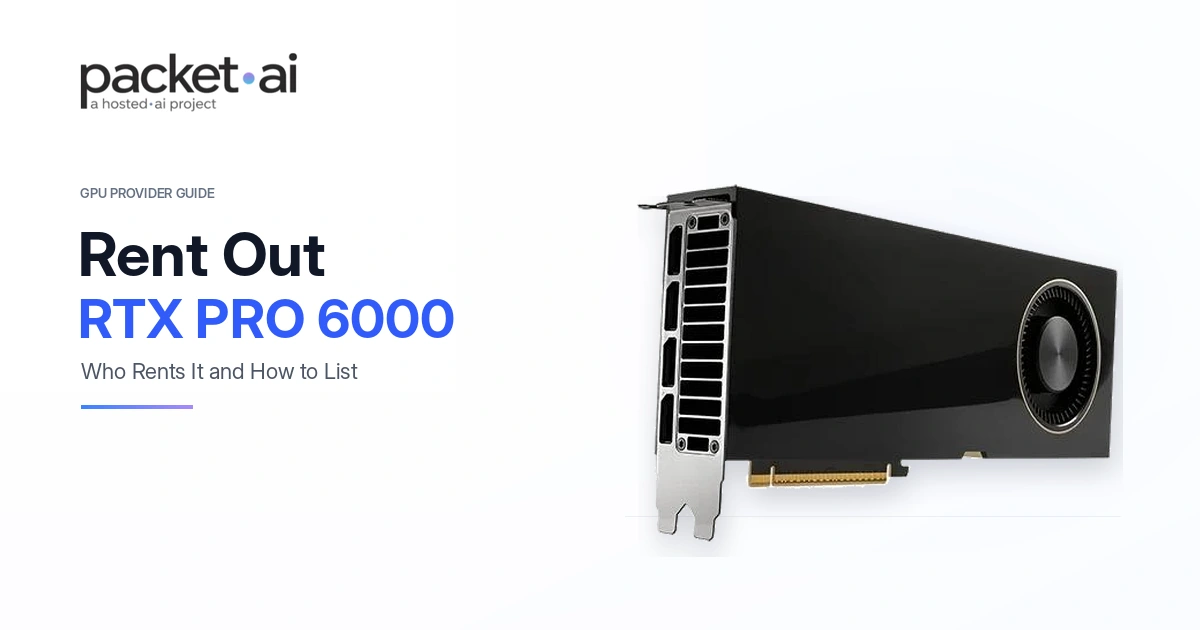
Rent out RTX PRO 6000 cards and the buyers are mostly inference teams that need 96GB on one GPU. Here is who they are, what the market pays and how to list.
You can rent out RTX PRO 6000 GPUs on packet.ai by applying as a provider, installing the hosted.ai agent and going live in about a week, and the buyers who want the card are mostly inference teams that need 96GB of GDDR7 on a single GPU.
Key takeaways
If you plan to rent out RTX PRO 6000 cards, start by being honest about what the card is. It is not an H100. It has no NVLink, and packet.ai places it in the standard provider tier next to the A100 and L40S. What it does have is 96GB of memory on one PCIe card, which is the limit a lot of single-GPU inference jobs hit first.
This guide is written for neocloud operators, data center and colo owners, and GPU owners who have hardware but no cloud. It covers who rents the card, what the customer price band looks like, what your hosting must provide and how to list. Where packet.ai has not published a number, provider payouts above all, the guide says so instead of guessing.
For the wider picture, read how to rent out your GPU in 2026 first, or go straight to the supply hub for GPU providers.
96GB fits a 70B model at FP8 or 4-bit, a 30B model at FP16, or several smaller models side by side on one card. It does not fit a 70B model at FP16, which needs roughly 140GB for weights alone.
A quick way to size any model: weights take about parameters times bytes per parameter. KV cache, activations and runtime overhead come on top, so the headroom column below is what a serving engine such as vLLM has left to batch requests and hold context. packet.ai's product page makes the same call, listing 30B at FP16 and 70B at 4-bit on one card.
Weights only, approximate. Calculated as parameters times bytes per parameter (FP16 = 2, FP8 = 1, 4-bit = 0.5). Real memory use is higher once KV cache and overhead are counted.
Specs depend on the edition, and this is where sources disagree. NVIDIA's datasheet rates the Server Edition at 1,597 GB/s with a passive cooler. packet.ai's RTX 6000 Pro page quotes 1.79 TB/s, and packet.ai's own guide says it runs the Workstation Edition. Check which edition you own before you quote bandwidth to anyone.
The card has no NVLink, only PCIe Gen 5. A multi-GPU server therefore runs one model per GPU rather than one model across eight. That shapes who buys it.
The NVIDIA RTX PRO 6000 Blackwell Server Edition carries 96 GB of GDDR7 with ECC on a 512-bit bus, rated at 1,597 GB/s of memory bandwidth in NVIDIA's datasheet.
Three buyer groups rent the card: inference teams serving 30B to 70B class models on one GPU, teams fine-tuning with LoRA or QLoRA, and teams running image, video and rendering pipelines.
Workloads from packet.ai's RTX 6000 Pro product page and NVIDIA's datasheet. The host-needs column is this guide's reading, not packet.ai policy.
Inference is the group to plan around. One 96GB card avoids the engineering cost of sharding a model, and one GPU per replica means scaling is a matter of adding cards. packet.ai's benchmark post on serving 8 large language models on a single RTX Pro 6000 server shows what that looks like on real hardware.
Now a check most supply guides skip. On 16 October 2026 the public packet.ai demand board lists 14 open requests, all for B300, B200, H200 or H100 capacity, and none for the RTX PRO 6000.
That does not prove demand is thin. The board says it shows only public requests and routes others privately to vetted providers, and the pricing page tags RTX 6000 Pro as Popular. It does mean this card is rented through the marketplace rather than won through large cluster tenders.
On 16 October 2026 packet.ai charges customers $0.66 per GPU-hour for an RTX 6000 Pro on Dynamic, or $299 per month, and publishes no payout rate for providers.
Source, checked 16 October 2026: packet.ai/pricing, packet.ai/gpu/rtx-6000 and packet.ai/dynamic-gpu-cloud
As of 16 October 2026, packet.ai lists the RTX 6000 Pro at $0.66 per GPU-hour on Dynamic and $299 per month, which works out to about $0.41 per hour when the monthly plan runs a full 730-hour month.
Customer price, not your payout
What you earn is set by the provider rate card you receive during onboarding. packet.ai describes provider rates as tier-based by GPU SKU, and its provider page lists RTX 6000 Pro as standard tier with cost-effective pricing. The H100 sits in the high tier, and the H200 and B200 in the premium tier.
So model your own numbers instead of borrowing someone else's. Both formulas below use inputs only you can fill in.
730 hours is an average month (8,760 hours divided by 12). 600W is the maximum configurable power NVIDIA lists for the Server Edition, so real draw may be lower.
Ask for the rate card before you commit rack space or power. For an owner-side view of utilization, the utilization math for H100 and B200 owners walks through the same logic, and the GPU cost calculator helps you see what customers compare you against.
The RTX PRO 6000 has the most memory per card of the four GPUs below, but it lacks the NVLink that H100 clusters rely on, and packet.ai places it one provider tier below the H100.
Memory and architecture from packet.ai/pricing. Provider tiers from packet.ai/for-providers, checked 16 October 2026.
packet.ai's own product page calls out the L40S comparison: twice the memory, 96GB against 48GB, at a similar customer price. Our read: treat the RTX PRO 6000 as a memory play for single-GPU inference, not a cheaper H100. It wins on capacity per card and loses on interconnect. If you also own L40S, A100 or H100 cards, the L40S, A100 and H100 pages cover each card from the customer side.
For the renter-side view of this same card, including a head-to-head with the H100, read RTX PRO 6000 Blackwell: 96GB GPU for LLM Inference. It is useful to see what your customers read before they rent from you.
packet.ai accepts the card only in a real datacenter or comparable hosting environment with 1 Gbps or faster networking, redundant power and stable cooling. It does not accept home-lab or consumer-grade setups.
Checked 16 October 2026. Server Edition figures from NVIDIA's datasheet; the Workstation and Max-Q editions differ in cooling and power.
Edition matters more here than in a spec sheet. packet.ai's guide describes the Workstation Edition as actively cooled and rated up to 600W, the Max-Q Workstation Edition as capped at 300W, and the Server Edition as passively cooled for rack servers. The provider page lists "RTX 6000 Pro, 96GB GDDR7" without naming an edition, so confirm which variants are accepted before you buy or rack anything.
You stay in control of the metal. packet.ai says you keep full root, BMC and physical access, that the agent exposes a minimal API for VM lifecycle, and that it does not send customer workload data back. You can also withdraw capacity at any time, with 14 days of notice if a customer is running on it.
NVIDIA's RTX PRO Server reference architecture describes certified 2-GPU, 4-GPU and 8-GPU server configurations. It is a good template if you are building a rack for this card from scratch.
To list an RTX PRO 6000, apply as a provider, install the hosted.ai provisioning agent and go live on the marketplace. packet.ai says the process takes about a week from application to first revenue.
Apply
Submit your infrastructure details. packet.ai verifies GPU model and BIOS revision, network quality (latency, jitter, peering), power redundancy and hosting environment. Applications are reviewed within two business days.
Connect
Install the lightweight hosted.ai provisioning agent. Your hosts stay under your control, and you keep root and physical access.
Earn
Your GPUs go live on the marketplace. You track occupancy, hourly rate and earnings in the provider dashboard, and the first payout lands on the next bi-weekly cycle.
Payouts are bi-weekly in USD by ACH or SWIFT, with a CSV of revenue per node per hour. packet.ai says active demand is in the US (east, central and west), EU (Frankfurt, Amsterdam, Dublin and Paris) and the UK (London), and that it onboards Asia-Pacific and Latin America selectively.
Before you apply, do four things: get the rate card, confirm the edition is accepted, price your power per kWh, and check that your region is on that demand list. Applying is also not the only route. Owners can run an open marketplace listing or build their own cloud, and the guide to renting out your GPU in 2026 compares the three models. If you are an operator planning a full cloud, how to become a GPU cloud provider covers the stack and the demand problem.
Ready to list?
Apply with RTX PRO 6000. Applications are reviewed within two business days, and you can withdraw capacity later with no penalty.
Last reviewed: 16 October 2026. Prices and provider terms were checked against packet.ai on that date. Ready to list? Apply with RTX PRO 6000, or see the supply hub.
Same models. Same API. Fraction of the cost. Start free — no credit card required.
Start Building →