
GPU pod snapshots save configuration, not disk images. Here’s exactly what survives termination and how to architect persistent storage so you stop losing pip packages.
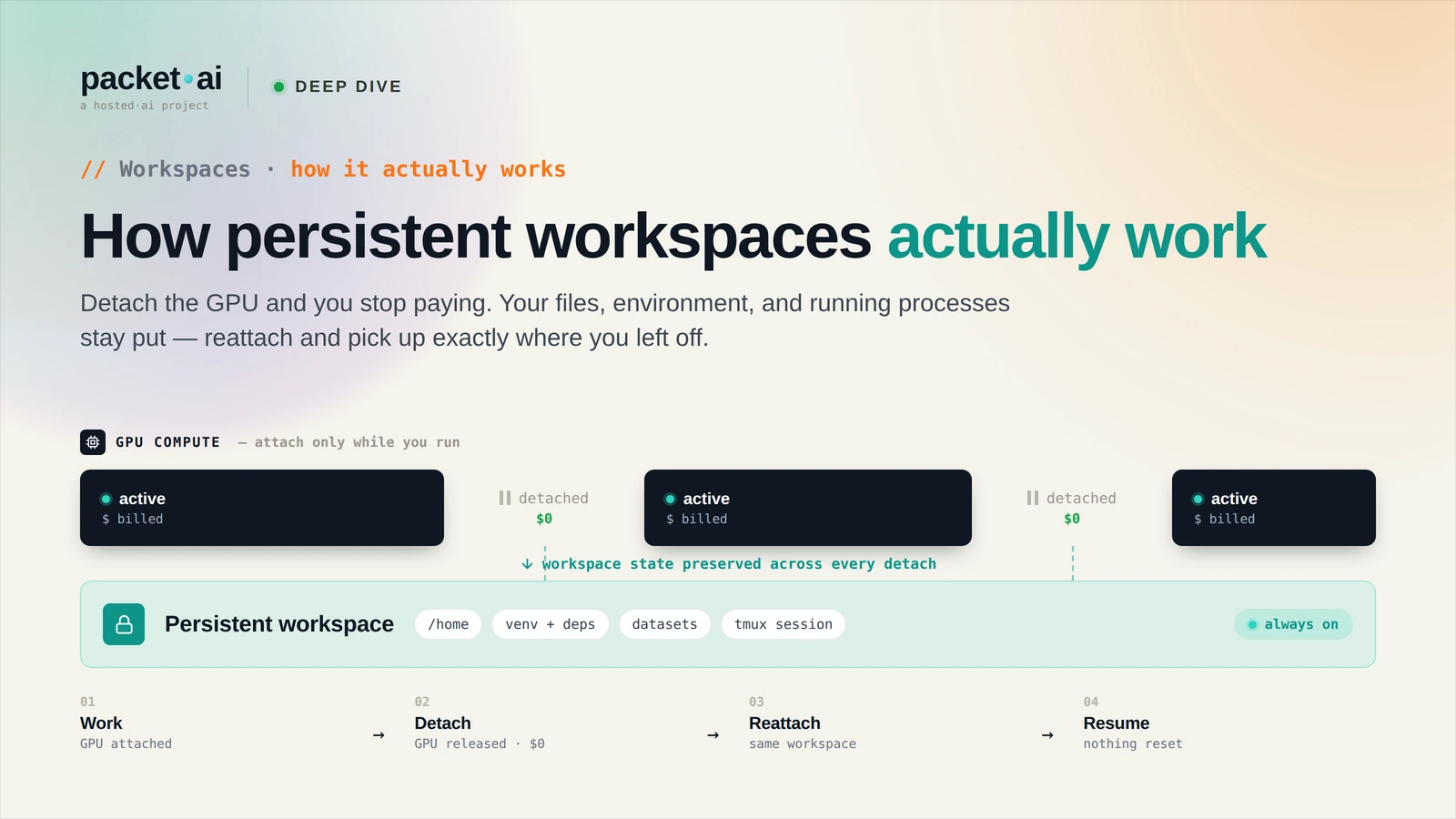
GPU pod snapshots on packet.ai save a configuration bookmark - not a disk image. Everything outside the persistent workspace - installed packages, config files, modified system paths - does not survive a snapshot unless it was written to the workspace volume.
Key takeaways
When you take a snapshot of a packet.ai GPU pod, the system saves:
What a snapshot does NOT save:
apt-get to system pathspip install to system Python (outside a conda env in the workspace)/etc, /usr, /opt, or other system directoriesThe practical implication: the snapshot preserves your data and workspace-level configuration. It does not preserve system configuration. If your workflow depends on system packages, you need a different persistence strategy.
Every packet.ai GPU pod has a persistent workspace volume - a separate storage volume that mounts at a fixed path in the pod filesystem. This volume persists across pod restarts, template updates, and snapshots.
Default workspace path: /workspace
What lives in the workspace by default:
/workspace/workspace/miniconda3 or similar pathsHF_HOME=/workspace/.cache/huggingfaceWhat does NOT live in the workspace by default:
/usr/lib/python3, /usr/local/lib/python3)sudo pip install/root or /home if those are not in the workspace volumeIf your workflow requires system packages or system-level configuration, there are two approaches:
Option 1: Setup scripts in the workspace
Write a setup script to /workspace/setup.sh that installs your required packages and configuration:
#!/bin/bash
# /workspace/setup.sh
apt-get update -qq
apt-get install -y libsndfile1 ffmpeg
pip install librosa soundfile --quiet
Run this script on pod start - either manually on each new pod or via the pod startup command configuration in the dashboard. The script is in your workspace (persists across snapshots), and the packages it installs are available for the current pod session.
Option 2: Conda environments in the workspace
Use conda to manage all packages, with conda installed in the workspace:
# Install miniconda to workspace
wget https://repo.anaconda.com/miniconda/Miniconda3-latest-Linux-x86_64.sh
bash Miniconda3-latest-Linux-x86_64.sh -b -p /workspace/miniconda3
export PATH=/workspace/miniconda3/bin:$PATH

# Create environment
conda create -n myenv python=3.11 -y
conda activate myenv
conda install pytorch torchvision torchaudio pytorch-cuda=12.4 -c pytorch -c nvidia
The conda installation and all environments are in /workspace/miniconda3 - they survive pod restarts and snapshots. Add export PATH=/workspace/miniconda3/bin:$PATH to your .bashrc (also in the workspace) to activate on session start.
packet.ai pod storage has two components:
Container layer: The base OS and pre-installed software (CUDA, PyTorch, JupyterLab). Read-only. Resets to the template state on pod restart. Fast to load because it is a container image.
Workspace volume: NVMe-backed persistent storage. Read-write. Survives pod restarts and snapshots. Size is configurable at pod creation.
NVMe storage specs on packet.ai nodes: sequential read 3-5 GB/s, sequential write 2-4 GB/s, random read IOPS 500k-1M. Loading a 70B FP16 model (140 GB) from NVMe takes 30-60 seconds. Writing training checkpoints is fast enough that checkpoint frequency is a recovery strategy decision, not a performance constraint.
/workspace/miniconda3, snapshot. New pods get the full environment without re-installing.Same models. Same API. Fraction of the cost. Start free — no credit card required.
Start Building →